
How to Buy Apps and Games on the Google Play Store with Crypto
Table of Contents
- Unlock the Google Play Store with Your Crypto
- The Problem: No Privacy on Google Play
- The Solution: A No KYC Virtual Card
- Step 1: Get Your Anonymous Virtual Card Instantly
- Step 2: Add Your Virtual Card to Your Google Account
- Step 3: Buy Apps, Games, or Credit Anonymously
- Your Gateway to Private Android Gaming
Unlock the Google Play Store with Your Crypto
The Google Play Store is the heart of the Android ecosystem, home to millions of apps, games, and digital content. However, it operates within a traditional payment framework, requiring a credit card or other identifiable payment method. This creates a barrier for cryptocurrency holders who want to spend their assets privately. The solution is simple and powerful: use a no KYC virtual crypto card to seamlessly and anonymously make purchases.

Bridge the gap between your crypto wallet and the Google Play Store.
The Problem: No Privacy on Google Play
When you add a standard bank card to your Google account, every single purchase—from a $0.99 in-game item to a premium app—is tracked. This data is linked directly to your real-world identity and financial history, creating several privacy concerns:
- Your entire app and gaming history is tied to your financial identity.
- Google and your bank collect and analyze your spending habits.
- It's impossible to use your crypto funds directly for these purchases.
- You risk exposing your primary bank card details in case of a data breach.
A no KYC virtual crypto card acts as a secure privacy shield, allowing you to interact with the Play Store without revealing your personal financial information.
The Solution: A No KYC Virtual Card
A no KYC virtual card is a disposable, prepaid debit card that you can generate and fund with cryptocurrency without any identity verification. It's the perfect tool for making private online payments.
By adding this card to your Google payment methods, you can top up your Play Store balance or make direct purchases. Google's system simply sees a valid prepaid card, while the funding source—your anonymous crypto wallet—remains completely hidden. It's the most effective way to buy on Google Play with crypto.
Advantages of Using a Virtual Card
- Complete Privacy: Your Google activity is not linked to your bank account.
- Use Crypto Assets: Easily convert crypto into a spendable Play Store balance.
- Instant and Secure: Get a card in minutes and make secure payments.
- No Bank Oversight: Avoid bank flags or restrictions on gaming purchases.
- Global Functionality: Works on the Google Play Store in any region.
Limitations of Direct Bank Payments
- Zero Privacy: Every transaction is tracked and recorded.
- Requires KYC: You must use a card tied to your identity.
- No Crypto Support: Direct crypto payments are not an option.
- Data Exposure Risk: Your primary card details are stored by Google.
Step 1: Get Your Anonymous Virtual Card Instantly
First, you need the payment tool. Acquiring a virtual card from PayCryptoCard is a quick, anonymous process.
- Create an Account: Register on PayCryptoCard with only a username. No personal details are needed.
- Fund Your Account: Deposit a small amount of crypto (like USDT, BTC, ETH) to load your card and cover the low activation fee.
- Generate Your Card: In your dashboard, click "Generate Card." You'll instantly receive a new virtual card number, expiration date, and CVV.
Your card is now active and funded, ready to be linked to your Google account.
Step 2: Add Your Virtual Card to Your Google Account
Next, you'll add your new virtual card as a payment method in your Google account settings. This is a one-time setup.
- Go to Google Play Store: Open the Play Store app or website.
- Access Payment Methods: Go to your profile icon, then select "Payments & subscriptions" and then "Payment methods."
- Add a New Card: Tap on "Add credit or debit card."
- Enter Your Virtual Card Details: Carefully input the 16-digit card number, expiration date, and CVV from your PayCryptoCard dashboard. For the name and address, you can typically use any valid information as it's a prepaid card.
- Save the Card: Google will verify the card with a small, temporary authorization. Once confirmed, it will be saved to your account.
Step 3: Buy Apps, Games, or Credit Anonymously
With your card linked, you can now freely make purchases on the Google Play Store.
- Find an App or Game: Browse the Play Store and select the item you want to buy.
- Tap the Price to Buy: Initiate the purchase process.
- Select Your Virtual Card: When the payment prompt appears, make sure your newly added virtual card is selected as the payment method.
- Confirm Your Purchase: Authenticate the purchase with your password or fingerprint. The transaction will be processed instantly.
Alternatively, you can use the card to buy Google Play gift card codes from the official store or other online retailers, adding the credit to your account for future use.
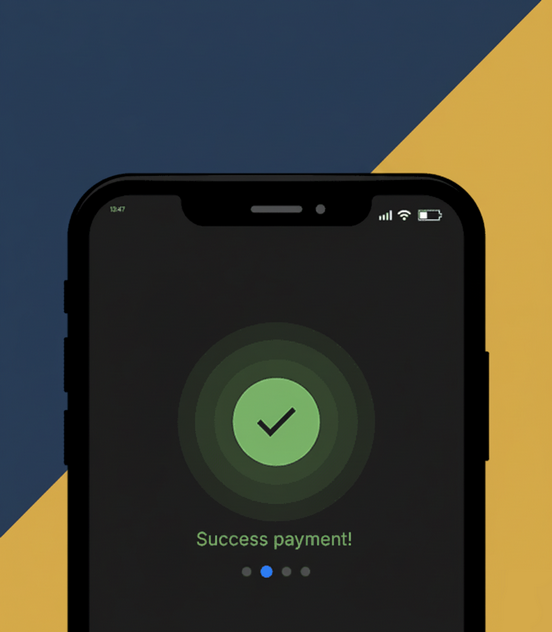
Enjoy instant, successful purchases for all your favorite apps and games.
Using a no KYC virtual crypto card is the smartest and most private way to buy on the Google Play Store with crypto. This simple, three-step method empowers you to enjoy the vast world of Android apps and games without sacrificing your financial privacy.
Ready to level up your privacy? Visit paycryptocard.com to get your anonymous virtual card in minutes and start funding your Google Play experience with crypto today.